GoHighLevel automations I built
Eight workflows for routing calls, syncing agent records, and turning referrals and event activity into follow-up.
Call handling
Incoming call menu and routing
An incoming call opens a keypad menu. Spanish-language callers, consultation requests, and existing clients go to the appropriate team pool. Direct extensions reach individual staff. The workflow assigns the CRM contact to the selected recipient.
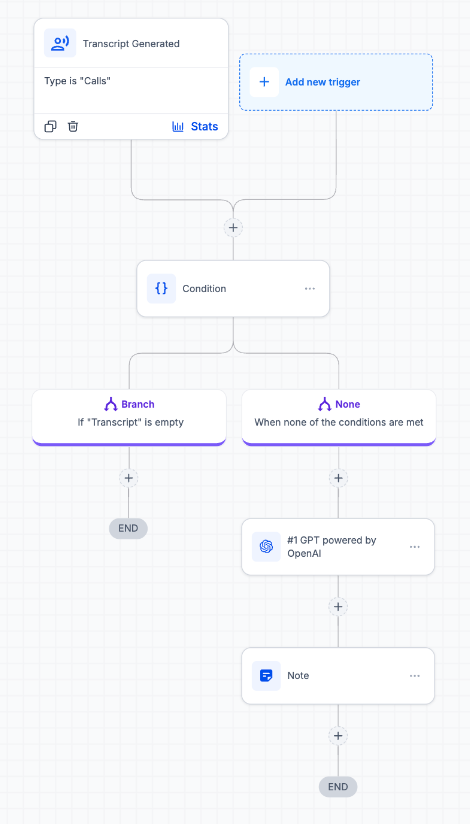
AI call summaries
When a phone-call transcript is available, an OpenAI step extracts the call goal, key points, and decisions. The workflow saves the summary and call context as a note on the contact.
CRM and Airtable sync
GoHighLevel to Airtable agent sync
New contacts and changes to agent details trigger a sync. The workflow normalizes email and phone data, then finds and updates an Airtable record or creates one. A separate branch marks matched records as Do Not Contact when all three outbound channels are disabled.
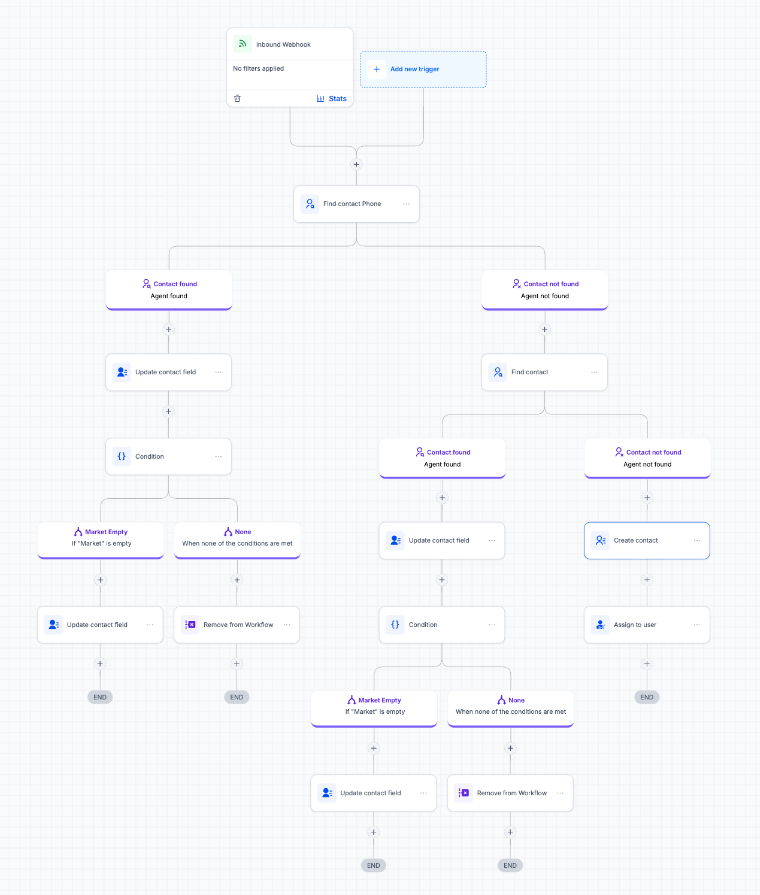
Airtable to GoHighLevel profile updates
A webhook checks for an existing contact by phone, then by email. It updates the matched contact with profile and event activity, or creates a contact when neither lookup succeeds. It fills a blank market field from the last attended event city.
Referral operations
Loan application and referral routing
Airtable changes and webhook events route new applications and status updates. The workflow matches buyer agents by phone or email, links referral records to the relevant contacts, and schedules a new-referral or status task. Unmatched records or unclear ownership trigger internal alerts.
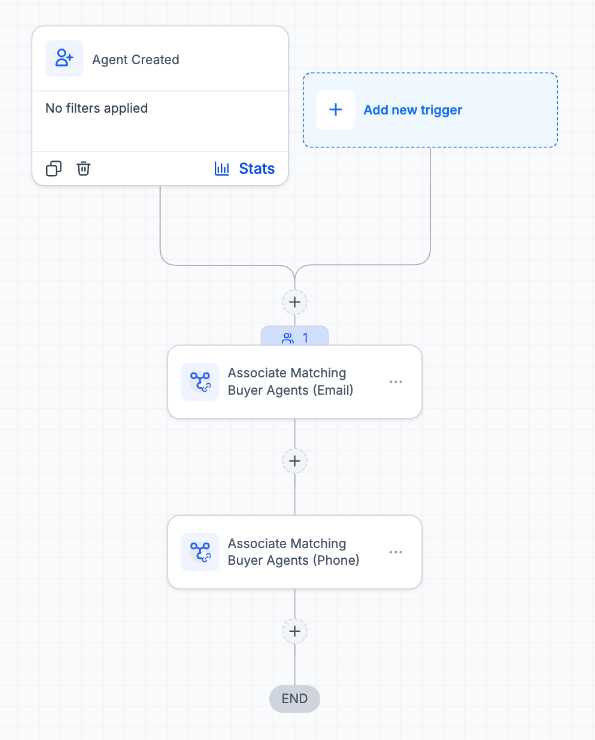
Buyer-agent transaction matching
When an agent contact is created, the workflow checks loan transaction records for a matching buyer-agent email or phone and associates the records it finds with that contact.
Ownership and follow-up
Lead and opportunity assignment
When the assigned success manager changes, or a new contact already has one, the workflow standardizes the manager field and assigns the contact. If it finds an opportunity, it gives the latest one the same owner.
Post-event follow-up
A pipeline stage change starts the workflow. After a wait tied to the event date, it finds the agent and branches by agent tier and opportunity stage. The resulting paths create call tasks, update stages, and enroll agents in dialer workflows on different schedules.